Installing Node.js, npm, and create-next-app (lab)
Lab Overview
In this lab, you'll set up your complete Next.js development environment from scratch. By the end, you'll have a running Next.js project on your machine.
What you'll install:
- Node.js (JavaScript runtime)
- npm (Node Package Manager)
- create-next-app (Next.js project scaffolder)
Step 1: Install Node.js & npm
Next.js requires Node.js 18.17 or later. npm comes bundled with Node.js automatically.
Download Node.js
Go to the official Node.js website and download the LTS (Long Term Support) version:
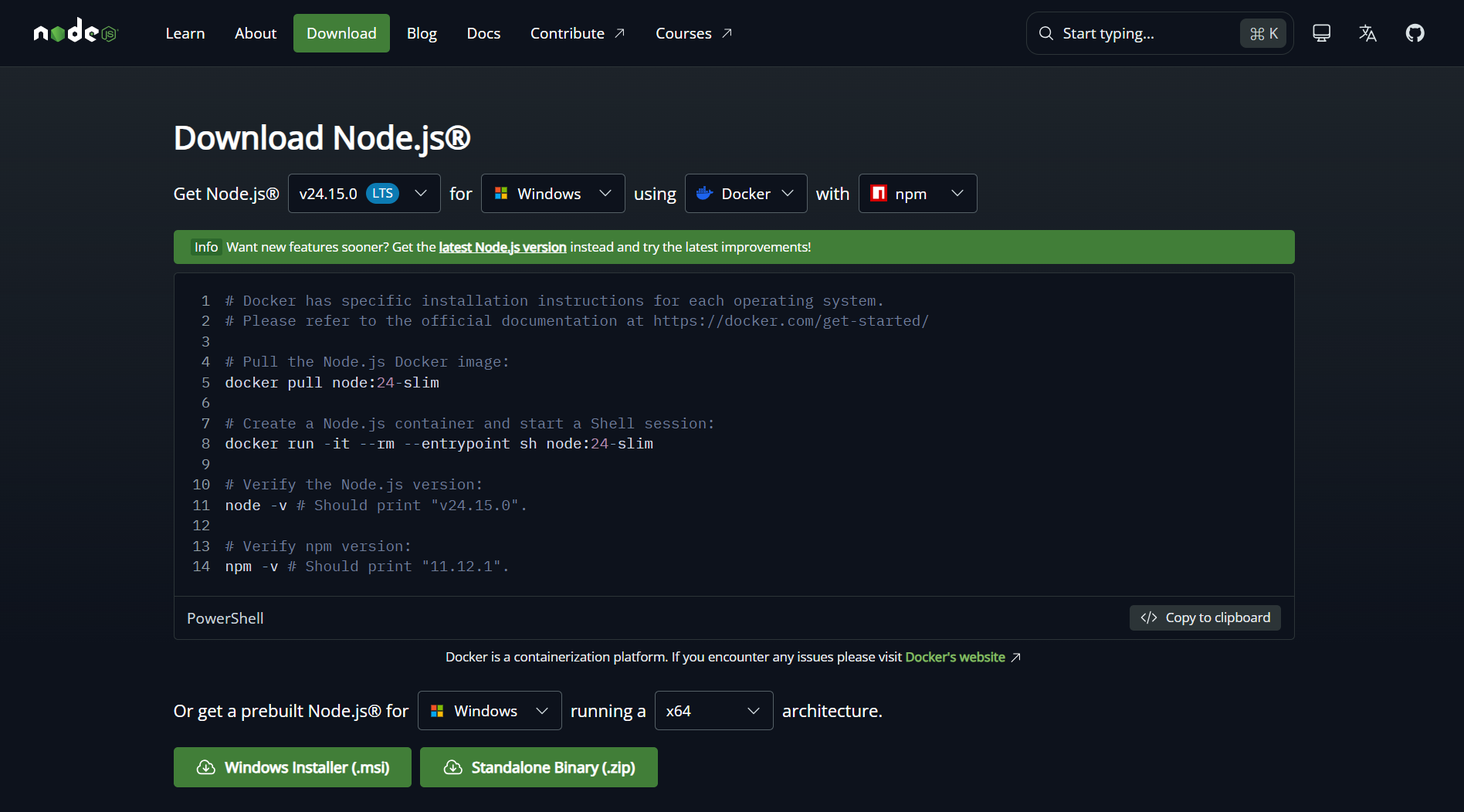
👉 Visit: https://nodejs.org
Choose "LTS" (recommended for most users) — not the "Current" version.
Verify Installation
After installing, open your terminal (Command Prompt / PowerShell on Windows, Terminal on Mac/Linux) and run:
bash
node -vExpected output:
v20.11.0 (or similar v18+ version)
bash
npm -vExpected output:
10.2.4 (or similar)
If both commands return version numbers — you're good to go! 🎉
Windows Users — Extra Tips
If you're on Windows, it's recommended to use Windows Terminal or install Git Bash for a better terminal experience.
You can also use nvm-windows (Node Version Manager) to manage multiple Node.js versions:
bash
# Install nvm-windows from: https://github.com/coreybutler/nvm-windows
nvm install 20
nvm use 20
Mac Users — Using Homebrew (Recommended)
bash
# Install Homebrew first if you don't have it
/bin/bash -c "$(curl -fsSL https://raw.githubusercontent.com/Homebrew/install/HEAD/install.sh)"

# Then install Node.js
brew install node
Linux Users
bash
# Using apt (Ubuntu/Debian)
curl -fsSL https://deb.nodesource.com/setup_20.x | sudo -E bash -
sudo apt-get install -y nodejs

# Verify
node -v && npm -v
Step 2: Create a New Next.js Project
Next.js provides an official CLI tool called
create-next-app that scaffolds a complete project for you.Run the command:
bash
npx create-next-app@latest my-nextjs-appnpxruns a package without installing it globally.@latestensures you get the newest version.
Interactive Setup Prompts
After running the command, you'll see an interactive setup wizard:
txt
What is your project named? › my-nextjs-app
Would you like to use TypeScript? › Yes / No
Would you like to use ESLint? › Yes / No
Would you like to use Tailwind CSS? › Yes / No
Would you like your code inside a `src/` directory? › Yes / No
Would you like to use App Router? (recommended) › Yes / No
Would you like to use Turbopack for next dev? › Yes / No
Would you like to customize the import alias? › No
Recommended Choices for Beginners:
| Prompt | Recommended Choice | Why |
|---|---|---|
| TypeScript | Yes | Industry standard, catches bugs early |
| ESLint | Yes | Helps you write clean code |
| Tailwind CSS | Yes | Most popular CSS framework with Next.js |
src/ directory | No | Simpler structure for learning |
| App Router | Yes | New standard in Next.js 13+ |
| Turbopack | Yes | Faster dev server |
| Import alias | No | Keep it simple for now |
Step 3: Navigate Into Your Project
bash
cd my-nextjs-appYour project structure will look like this:
txt
my-nextjs-app/
├── app/
│   ├── favicon.ico
│   ├── globals.css
│   ├── layout.tsx
│   └── page.tsx
├── public/
│   └── (static assets)
├── node_modules/
├── .eslintrc.json
├── .gitignore
├── next.config.mjs
├── package.json
├── postcss.config.mjs
├── README.md
└── tailwind.config.ts
Step 4: Start the Development Server
bash
npm run devYou'll see output like:
▲ Next.js 14.1.0
- Local:        http://localhost:3000
- Environments: .env.local

✓ Starting...
✓ Ready in 1532ms
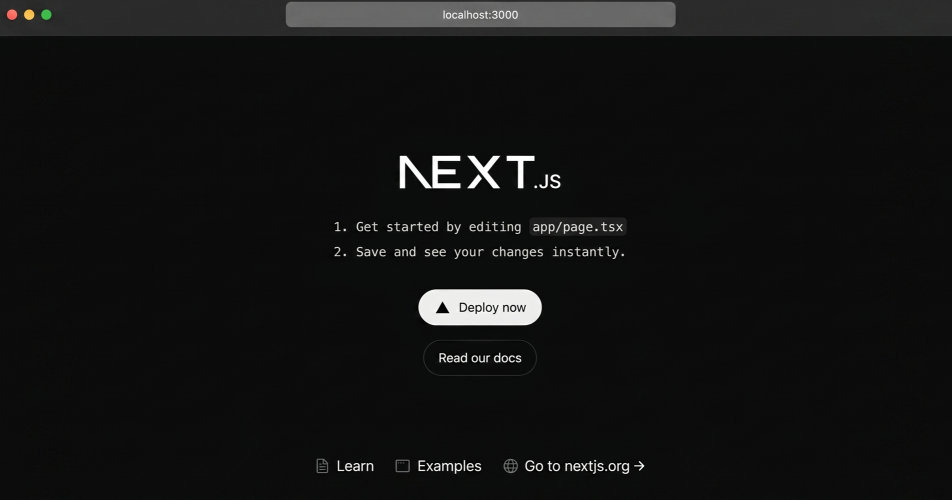
Now open your browser and visit:
You should see the default Next.js welcome page! 🎉
Understanding npm Scripts
Open
package.json in your project — you'll see these scripts:json
"scripts": {
  "dev": "next dev",       // Start development server
  "build": "next build",   // Build for production
  "start": "next start",   // Start production server
  "lint": "next lint"      // Run ESLint checks
}| Command | When to Use |
|---|---|
npm run dev | During development — has hot reloading |
npm run build | Before deploying to production |
npm run start | After building — runs production build locally |
npm run lint | Check for code quality issues |
Quick Lab Exercise
- Create a new Next.js app called
nextjs-practice - Choose TypeScript + Tailwind CSS + App Router
- Start the dev server
- Open
app/page.tsxin VS Code - Change the text inside and save — watch it instantly update in the browser (that's hot reloading!)
tsx
// app/page.tsx — try editing this!
export default function Home() {
  return (
    <main>
      <h1>Hello, I built this with Next.js! 🚀</h1>
    </main>
  );
}
npm vs npx vs yarn vs pnpm
You might see different package managers used in tutorials:
| Tool | Command | Notes |
|---|---|---|
| npm | npm install | Comes with Node.js, most common |
| npx | npx create-next-app | Runs packages without installing |
| yarn | yarn add | Faster alternative to npm |
| pnpm | pnpm add | Most disk-efficient, gaining popularity |
For this course, we'll use npm — but all commands have equivalents in other managers.
Watch the Full Setup Walkthrough
Step-by-step video covering Node.js installation, create-next-app, and first run — by Lama Dev.
Lab Checklist
- Node.js v18+ installed (
node -v) - npm installed (
npm -v) - New project created with
create-next-app - Dev server running at
localhost:3000 - Able to edit
page.tsxand see live updates