Back to Projects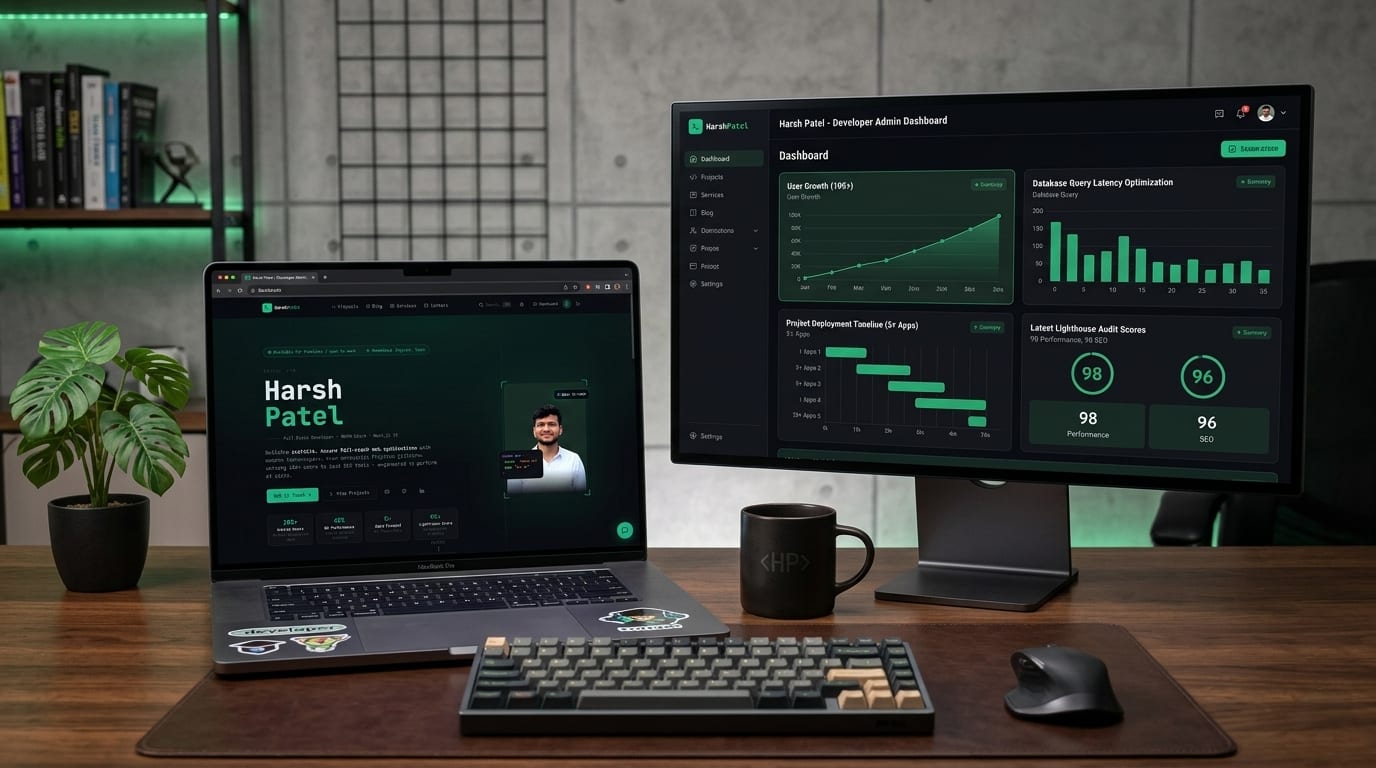
Next.jsTypeScriptPostgreSQLPrismaTailwind CSSCloudinaryNextAuth.jsReactvercelgithubgitlab
Portfolio CMS
A full-stack portfolio website with a custom-built CMS — featuring a blog engine, services showcase, contact inbox with message categorization, admin dashboard, and ⌘K global search. Built entirely with Next.js 14, PostgreSQL, Prisma, and NextAuth.
May 2026214 views📷 8 photos
1 / 8
Introduction
Most developers use Notion, Contentful, or some third-party CMS to manage their portfolio content. I decided to build my own from scratch — a fully custom content management system where I own everything: the data, the UI, the auth, the image pipeline, and the admin dashboard.
This is that project. Here's how it's built, what it does, and what I learned building a production CMS for myself.
What it does
The portfolio has two distinct layers: a public-facing frontend and a private admin dashboard. Both are part of the same Next.js 14 app, protected by role-based access using NextAuth.js.
- Public frontend — hero section, projects showcase, blog with tag filtering, services page with pricing, and a contact form with reason categorization.
- Admin dashboard — full CRUD for projects, blog posts, and services. Real-time stats (total views, message count). Inbox with read/unread tracking and sender labels. User management. Site settings.
- Global search (⌘K) — keyboard-triggered command palette that searches across blog posts and projects simultaneously, with type badges and instant results.
- Blog engine — rich post pages with tags, read time, view tracking, cover images via Cloudinary, and a tag cloud sidebar.
- Contact inbox — messages stored in PostgreSQL with sender name, email, reason (Collaboration, Freelance Project, Hiring, Feedback), timestamp, and admin/guest labeling.
- Response priority system — registered users get priority response routing; guest users get standard.
Tech stack
- Next.js 14 (App Router) — Server Components, Server Actions, and file-based routing. The entire app — frontend and admin — lives in one Next.js project.
- PostgreSQL + Prisma — relational database for projects, posts, services, messages, and users. Prisma handles schema, migrations, and type-safe queries.
- NextAuth.js — session-based authentication with role support. Admin routes are protected server-side; the
ADMINbadge in the sidebar is rendered based on session role. - Cloudinary — image hosting and CDN for blog cover images and project screenshots. Uploaded via the admin dashboard, served via Cloudinary's optimized URLs.
- Tailwind CSS — utility-first styling throughout. The dark terminal aesthetic (near-black background, green accent, monospace headings) is implemented entirely with Tailwind custom config.
- Vercel — deployment and hosting with automatic preview builds on every push.
- Lucide React — icon set used across the dashboard and public UI.
Design system
The entire site follows a consistent terminal/hacker aesthetic: near-black backgrounds (#0a0f0a range), bright green (#00d67e) as the primary accent, monospace fonts for headings and labels, and double-slash comment syntax (// SECTION) for section markers. This isn't a theme applied on top — it's baked into the Tailwind config and applied consistently across every page, component, and the admin dashboard.
The result is a portfolio that looks like it was built by the person using it, not assembled from a template.
Admin dashboard
The dashboard is the most complex part of the project. It's a full internal tool built inside the same Next.js app, accessible only to users with the ADMIN role.
// Sidebar structure
OVERVIEW
  └── Dashboard          ← stats + recent messages + recent projects

CONTENT
  ├── Projects           ← list, add, edit, delete
  ├── Blog Posts         ← list, add, edit, delete
  └── Services           ← list, add, edit, delete

INBOX
  └── Messages           ← full inbox with read state and labels

PEOPLE
  └── User Management    ← view registered users

CONFIG
  └── Site Settings      ← global site configuration
The dashboard homepage shows five live stats — Projects, Blog Posts, Services, Messages, and Total Views — fetched server-side on every load. Recent messages display sender, email, reason tag, timestamp, and admin/guest label. Recent projects show the title and stack tags with view counts.
Global search
One of my favorite features is the ⌘K command palette. Pressing Ctrl+K (or ⌘K on Mac) opens a full-screen modal search that queries blog posts and projects simultaneously. Results come back with type badges (blog / project) and truncated descriptions. Keyboard navigation works fully — arrow keys to move, Enter to open, Escape to close.
This is implemented as a client component that fires a debounced server action on input change, returning ranked results from PostgreSQL full-text search across title and description fields.
Contact form and inbox
The contact page collects name, email, a reason dropdown (Collaboration, Freelance Project, Hiring / Job Opportunity, Feedback), and a message. On submit, the data is written to the messages table in PostgreSQL via a Server Action. No third-party form service — it all lives in my database.
In the admin inbox, each message shows sender, email, reason as a colored tag, timestamp, and a read/unread indicator. Messages from registered users get an Admin badge. The response priority panel on the contact page makes it clear to visitors that registered users get faster replies — a small detail that drives signups.
Blog engine
Blog posts are created from the admin dashboard with a title, slug, tags, cover image (uploaded to Cloudinary), and rich content. On the public blog page, posts are displayed in a card grid with cover image, tags, read time, date, and view count. A tag cloud sidebar on the right lets visitors filter by topic. Individual post pages track views — each visit increments the post's view counter via a Server Action called on page load.
View tracking
View counts are tracked at the database level, not via an analytics service. When a project or blog post page loads, a Server Action fires to increment the views field on that record. This gives me real per-content view data visible directly in the admin dashboard and on each public card, without needing Google Analytics or any external script.
Authentication and role system
Auth is handled by NextAuth.js with a credentials provider backed by the PostgreSQL users table. Session tokens include the user's role field, which is checked on every admin route via middleware. The admin sidebar renders only for users whose session role is ADMIN. Regular registered users can log in, get priority contact routing, and see personalized UI — but cannot access the dashboard.
What I'd improve
- Rich text editor — blog posts currently use raw HTML in a textarea. A proper editor like Tiptap or Lexical would significantly improve the writing experience.
- Draft / published state — right now posts go live immediately on creation. A draft mode with preview would be a natural next step.
- Email notifications — when a new contact message arrives, I currently have to check the dashboard. An automatic email via Resend or Nodemailer would close that gap.
- Analytics dashboard — the view tracking is there, but charting it over time (views per day, top posts this week) would make the dashboard genuinely useful for content decisions.
- Image optimization in admin — Cloudinary upload works, but adding resize-on-upload presets and aspect ratio enforcement would prevent inconsistent cover images.
Conclusion
Building your own CMS is one of the best exercises in full-stack development because you're the user — you know exactly what you need, and there's no spec to hide behind. Every feature in this portfolio exists because I needed it. The result is a system I understand completely, can extend freely, and actually enjoy using. If you're a developer without a portfolio CMS of your own, I'd highly recommend building one.
// Tech Stack
Next.jsTypeScriptPostgreSQLPrismaTailwind CSSCloudinaryNextAuth.jsReactvercelgithubgitlab